Materials and finishes
The print materials and finishes Womp's print panel offers, and which design rules each one follows.Use this when: you choose what to print a model in, or need to know how a finish changes the design rules.
Don't use this for: prices or design limits. Read Ordering and Design rules.
Being confirmed. Womp is confirming these points. This page does not state them until they are confirmed:
- Whether the design rules on these pages apply to full colour prints, which use a different process.
- Which design rules apply to clear resin with a
Mattefinish. The rules define clear parts as glossy.
You pick a material and finish in the Print panel, on the Material step.
Standard materials
The print panel lists these under Standard:
| Card | Name on the review step | Finish | Colour |
|---|---|---|---|
White | White Resin (Accura 25) | No finish choice | White |
Clear | Clear Resin (Transparent) | Matte or Glossy | None |
Tinted clear | Clear Resin (Colored) | Matte or Glossy | A colour you pick |
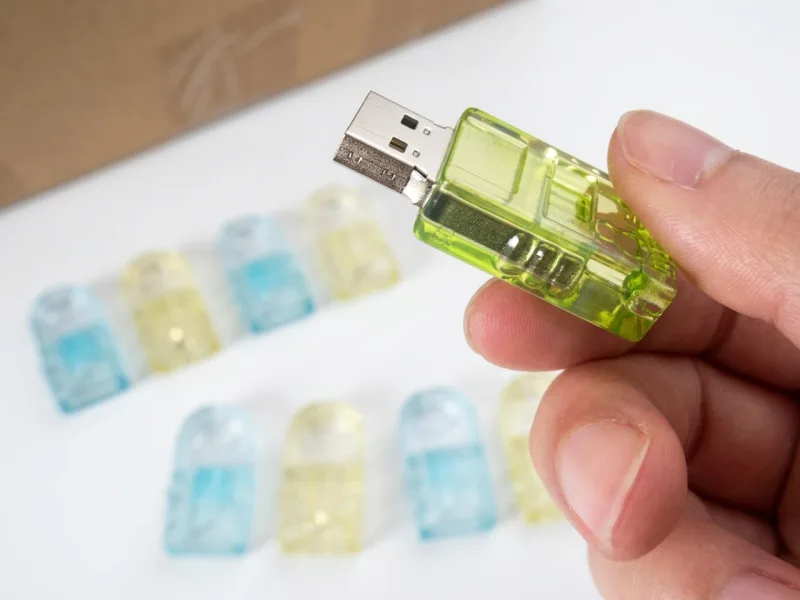
USB stick cases printed in Tinted clear. The colour you pick is matched to the nearest Pantone colour and can print lighter than on screen.
- Finish defaults to
Matte. - Colour: the
Colorpicker snaps your colour to the nearest Pantone colour. The panel warns: "Printed colors may appear lighter and less saturated than what you see on screen."
Enterprise materials
The Enterprise section lists more materials: Titanium, Stainless steel, Aluminum, Resin black, Painted, Full color, Chrome, Chrome paint, Nylon white, Nylon black, Nylon glass, Silicone, TPU and Large scale. Only Enterprise accounts can pick them in the material step. Everyone else sees Contact sales; see Enterprise.
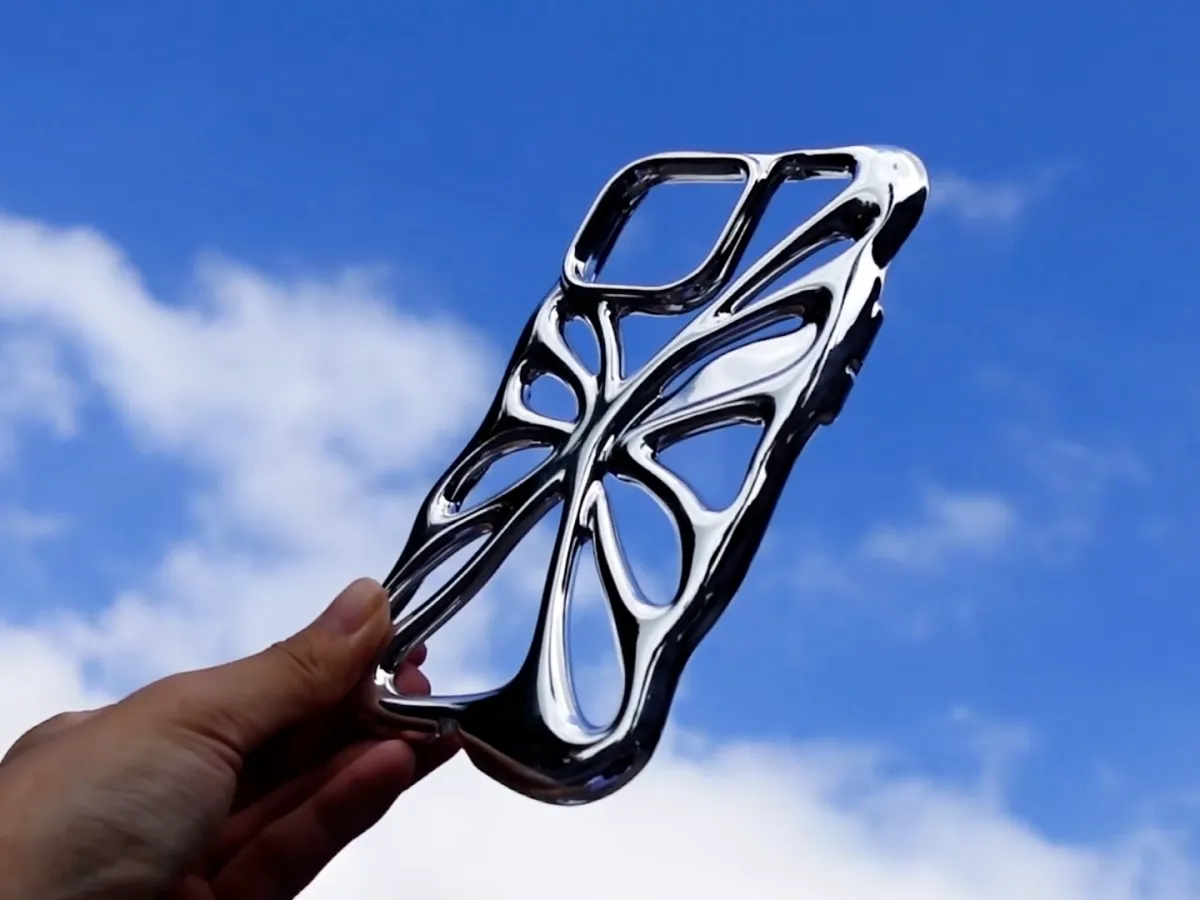
A phone case printed in Chrome, one of the Enterprise materials.
Which rules each finish follows
| Finish | Design rules |
|---|---|
| Matte | The matte values on every design rule page |
| Glossy | The glossy values, plus Glossy and clear |
Clear, Glossy | Every glossy rule plus the clear rules (CLA-01). Clear resin is transparent only after polishing or coating |
Clear, Matte | Prints frosted, not transparent. Which rule set applies is being confirmed |
Full colour prints use a different print process. The design rules on these pages are written for resin prints and are being confirmed for full colour.
Use instead
- Wrong move: promising an exact colour match. Why: colours snap to Pantone and print lighter than on screen. Right move: say the colour is matched to the nearest Pantone colour and may look lighter.
- Wrong move: choosing glossy for parts that move or fit closely. Why: coating eats clearance and fuses gaps (
GLS-01,GLS-02). Right move: choose matte, or use the glossy clearances in Fits and clearances. - Wrong move: hollow clear prints. Why: hollow clear prints can show internal supports, lose clarity, and need drain holes that change the look. Right move: print clear parts solid, and keep solid clear sections to 10 mm or less, or expect review (
CLA-08).
Last checked: 2026-11-10. Womp version: Womp web app, November 2026.